Your cart is currently empty!
Blog
-
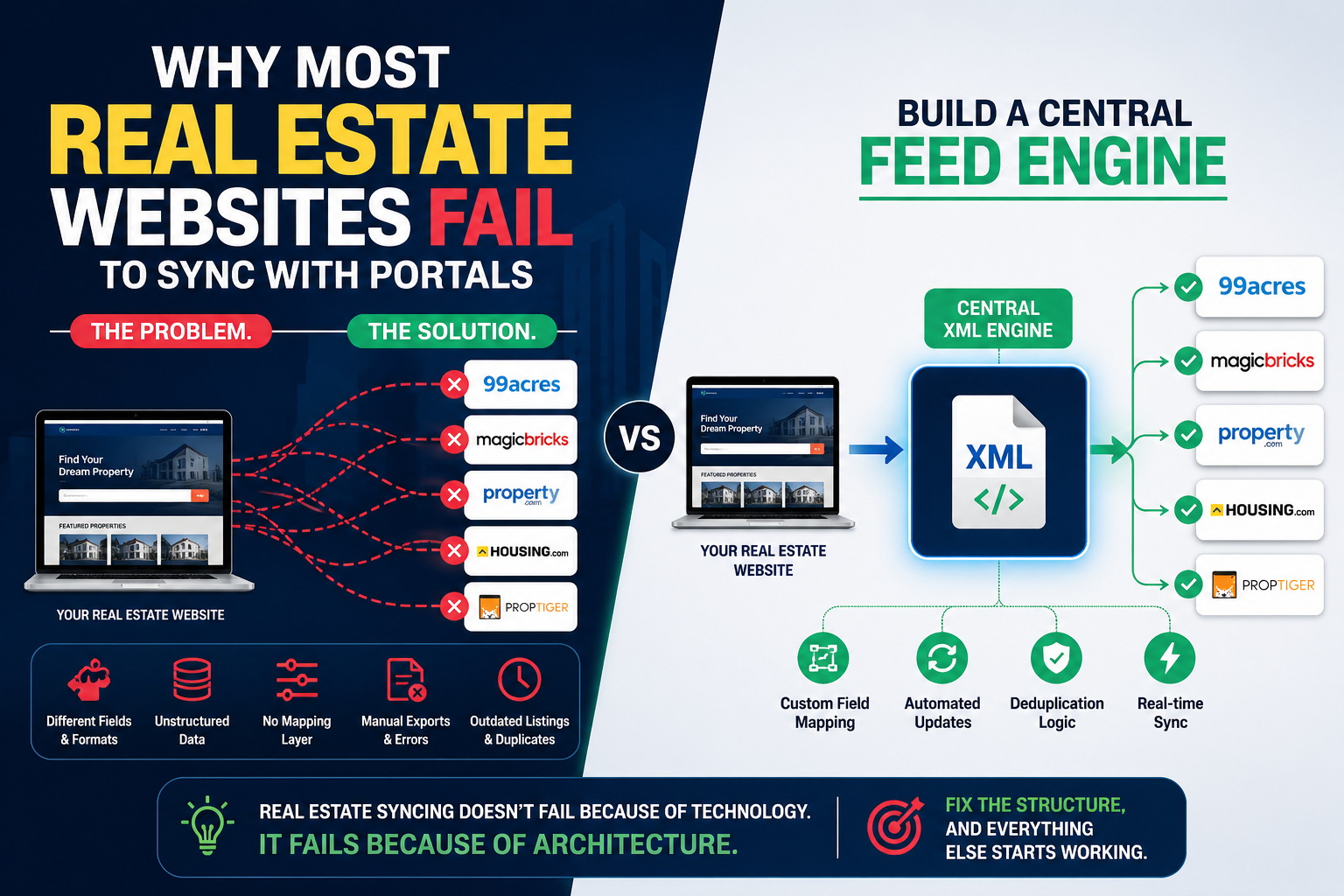
Why Most Real Estate Websites Fail to Sync with Portals (And How to Fix It)
If you’ve ever tried syncing your real estate website with property portals, you already know—it sounds simple, but turns messy fast.
Here’s the reality 👇
The Problem:
Most real estate websites fail to sync properly because of fragmented data and inconsistent structures.- Every portal has different field names, formats, and requirements
- Property data inside WordPress (or any CMS) is often unstructured
- No centralized mapping layer exists
- Manual exports = errors, delays, and missed listings
- Duplicate or outdated properties confuse portals
Result? ❌ Rejected feeds, ❌ missing listings, ❌ lost leads
The Core Issue (What nobody tells you):
You’re trying to connect multiple systems directly without a translation layer.That’s like speaking 5 languages without a translator.
The Solution: Build a Central Feed Engine
Instead of creating separate feeds for each portal, you need:
✅ A single unified XML layer
→ One source of truth for all your listings✅ Custom field mapping system
→ Translate your data into each portal’s required format✅ Automation + dynamic updates
→ No manual exports, everything updates in real-time✅ Deduplication logic
→ Clean, consistent, portal-ready data
The Smart Approach:
👉 Website → Central XML Engine → Multiple PortalsNot
❌ Website → Portal 1
❌ Website → Portal 2
❌ Website → Portal 3
Bottom Line:
Real estate syncing doesn’t fail because of technology.
It fails because of architecture.Fix the structure, and everything else starts working.
If you’re dealing with feed issues or portal rejections, this is exactly where the problem lies.
Want help building a clean, scalable feed system? Let’s talk.
-
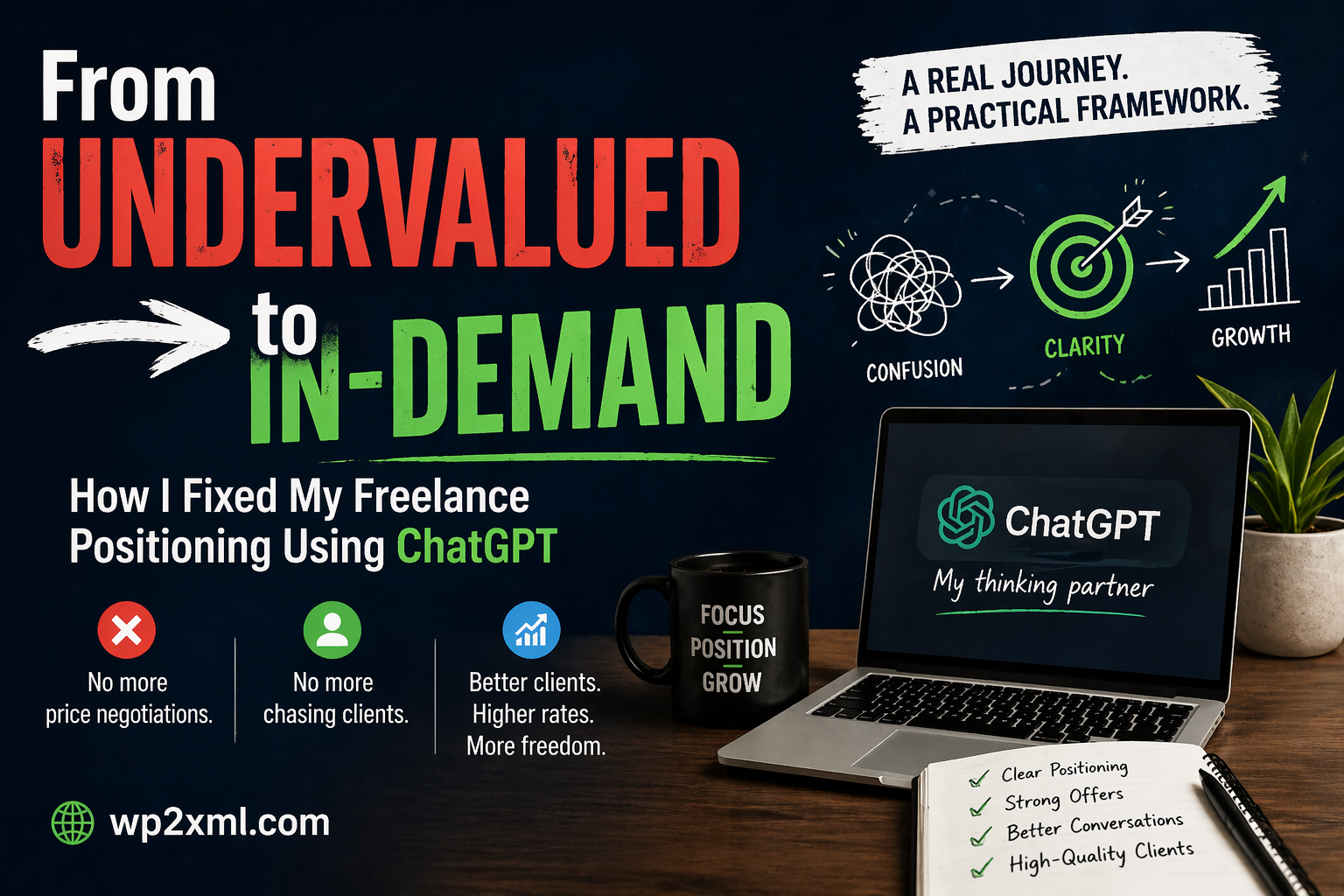
From Undervalued to In-Demand: How I Fixed My Freelance Positioning Using ChatGPT
When I started my journey as a freelancer, I believed that doing good work would be enough.
It wasn’t.
I was skilled. I delivered on time. Clients were satisfied.
But something felt off — I was constantly negotiating, justifying my prices, and chasing clients who saw me as “just another option.”If you’re a freelancer, you probably know this feeling.
The Real Problem Wasn’t My Skill — It Was My Positioning
For a long time, I thought:
- “Maybe I need to lower my price.”
- “Maybe I need more clients.”
- “Maybe I need to work harder.”
But none of these addressed the core issue.
The real problem was how I was presenting myself.
I looked like a task executor, not a problem solver.
So clients treated me accordingly:
- Price-driven conversations
- Low commitment
- Delayed decisions
- Ghosting
The Turning Point: Rethinking My Approach
Instead of trying to get more clients, I started focusing on:
How I communicate value before the work even begins.
That’s when I began using ChatGPT — not as a shortcut, but as a thinking partner.
Not for writing random content…
But for refining clarity.What I Changed (And Why It Worked)
1. From “What I Do” → To “What Problem I Solve”
Before:
“I create XML/RSS feeds for WordPress.”
After:
“I build structured feed systems that ensure your data is consistently distributed across platforms without breaking.”
Same work. Completely different perception.
Clients don’t buy services — they buy outcomes and reliability.
2. Structured Offers Instead of Loose Conversations
Earlier, my proposals were reactive:
- Answering questions
- Adjusting scope on the fly
- Letting clients lead the conversation
Now, every offer is structured:
- Clear scope
- Defined outcomes
- Boundaries on revisions
- Positioning based on stability, not effort
ChatGPT helped me simulate client objections and refine responses until they felt solid and confident.
3. Handling Price Conversations Differently
Before:
- I explained why my price is fair
Now:
- I explain what happens if the work is done wrong
This subtle shift changes everything.
Instead of:
“This costs $500 because it takes time…”
I say:
“This approach ensures your feeds don’t break when your data structure changes — which is the main issue most setups fail at.”
Now the conversation is about risk, not hours.
4. Better Follow-Ups (Without Sounding Desperate)
Earlier follow-ups:
“Just checking if you had a chance to review…”
Now:
“Happy to proceed once you’re ready — the structure is already defined, so we can move quickly without reworking the scope.”
It communicates:
- Stability
- Confidence
- No pressure
This alone improved response rates significantly.
5. Thinking Like a System, Not a Freelancer
This was the biggest shift.
Instead of asking:
- “How do I get this client?”
I started asking:
- “How do I make this decision easier for the client?”
ChatGPT helped me break down conversations into:
- Decision friction
- Perceived risk
- Clarity gaps
Once I fixed those, conversions improved naturally.
The Results
After applying these changes:
- Fewer negotiations
- Better-quality clients
- Higher acceptance rates
- Less time wasted on unqualified leads
Most importantly:
I stopped feeling like I had to “convince” clients.What Most Freelancers Get Wrong
They try to:
- Compete on price
- Add more features
- Respond faster
But ignore:
- Positioning
- Clarity
- Perceived expertise
Clients don’t evaluate you deeply — they interpret signals.
If your communication feels uncertain, they assume your work is too.
How You Can Start Fixing This
You don’t need a complete overhaul.
Start with this:
- Rewrite your service in terms of outcome, not task
- Structure your offers clearly (scope, timeline, boundaries)
- Anticipate client doubts before they ask
- Replace explanations with positioning
- Use ChatGPT to refine — not replace — your thinking
Final Thought
ChatGPT didn’t make me a better freelancer.
It made me a clearer thinker.
And clarity is what clients actually pay for.
If you’re struggling with pricing, client quality, or constant negotiation — it’s probably not your skill.
It’s how your value is being perceived.
Fix that, and everything else starts to move.
— Ranjit Singh
wp2xml.com -
How to earn money by learning XML
That’s a great question — and a smart one, because XML (Extensible Markup Language) may sound old-fashioned, but it still powers a lot of data exchange across industries. Let’s go step by step on how you can actually earn money by learning XML — both directly and indirectly.
💡 1. Understand What XML Is Used For
XML is mainly used to store and share structured data between systems — websites, apps, APIs, and software platforms.
Once you understand it deeply, you can earn by working on projects that involve:- Data feeds (like property listings, product catalogs, job listings, ads)
- Software integrations (connecting one app to another)
- Content syndication (sending or receiving structured data)
- Custom web tools or WordPress plugins
💼 2. Real Ways to Earn Money with XML
(a) Freelancing / Service Work
Offer services on platforms like Upwork, Fiverr, Freelancer:
- Convert data between XML and CSV/JSON
- Create XML feeds for eCommerce, real estate, or job portals
- Modify or validate XML for integrations
- Create WordPress/XML-related plugins or scripts
👉 Example: “I will create an XML feed for your real estate listings website for ₹2,000”
You can easily automate it once, and then sell repeatedly.
(b) WordPress Plugin or Tool Development
You already mentioned your plugin — “WordPress to XML Feed”.
That’s a perfect XML-based business idea.
You can:- Sell Pro versions (add more export options)
- Offer custom feed setup services
- Create affiliate program or tutorials teaching others to earn using your plugin
(c) XML + API Integration Projects
Many websites use XML APIs (e.g., property portals, job boards, vehicle listings).
You can charge clients to:- Fetch data from external XML APIs and display it on their sites
- Push their site data to third-party services using XML feeds
💰 These projects can earn ₹5,000–₹50,000 depending on complexity.
(d) Teach XML or Create Courses
If you understand XML and WordPress integration, you can:
- Create a YouTube channel (“XML for WordPress Developers”)
- Write an eBook or blog (“How to create XML feeds for real estate websites”)
- Sell courses on Udemy, Skillshare, or Gumroad
(e) Data Management or Tech Jobs
XML is still common in:
- Banking and finance systems (data exchange)
- Government data services
- Medical and publishing industries (standardized data formats)
Roles like:
- Data integration specialist
- API developer
- XML/XSLT engineer
often pay ₹6–15 LPA (in India) or $60k+ abroad.
🧠 3. What to Learn Next
To really earn from XML, combine it with these:
Skill Why XSLT / XPath For transforming and filtering XML data PHP or Python For automating XML feeds WordPress To integrate with plugins or themes APIs / REST / JSON To handle modern integrations Hosting & automation tools To deploy or sell your XML tools easily
🚀 Example Plan for You
Since you already make a WordPress plugin:
- Learn advanced XML and XSLT (for powerful feed customization).
- Offer a service: “I’ll create XML feeds for your property or job portal.”
- Add a paid version of your plugin with feed templates.
- Teach others (YouTube or blog) — and monetize traffic.